What Is Workday Adaptive Planning? Everything You Need
 Mary Kavin
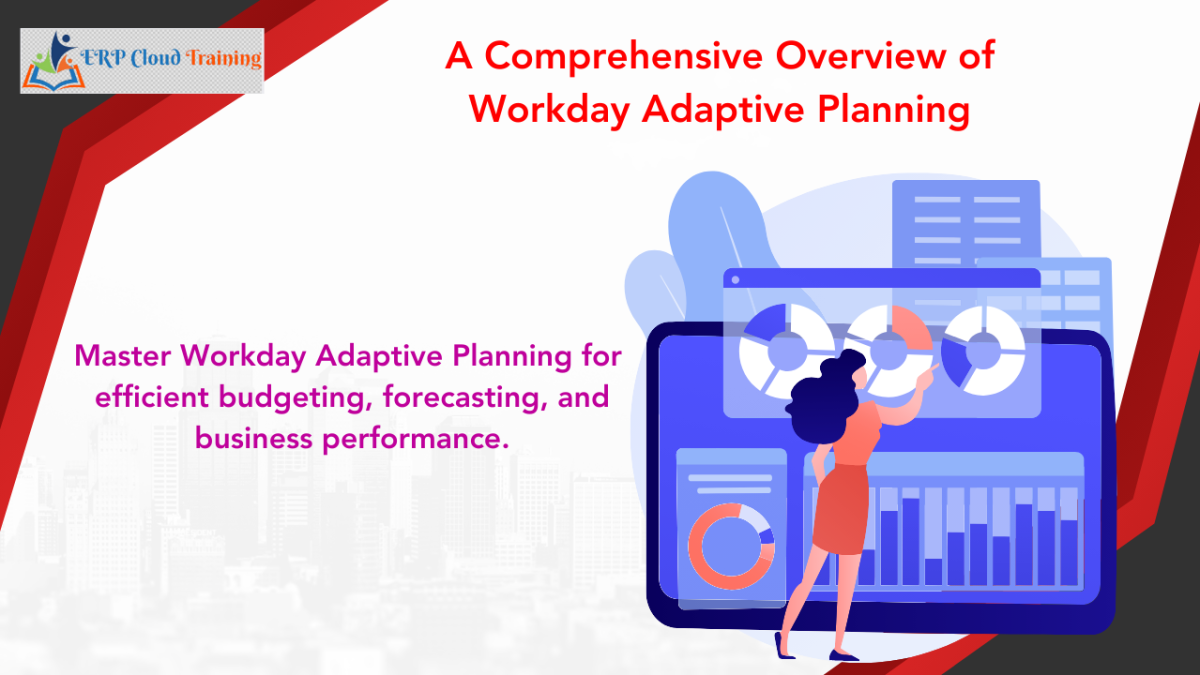
Explore what Workday Adaptive Planning is, its features, benefits. See how it transforms financial planning, forecasting, and performance management.
Table of Contents
- Introduction
- What Is Workday Adaptive Planning?
- Who All Can Suitably Use Workday Adaptive Planning?
- The Major Characteristics of Workday Adaptive Planning
- What Does Workday Adaptive Planning Do for Companies?
- How Workday Adaptive Planning Works?
- What Are the Primary Benefits of Workday Adaptive Planning?
- Conclusion
Introduction
Financial planning, forecasting, and performance management have reached a new level of complexity in the prevailing modern business environment. Market conditions are witnessing rapid changes, data volumes are also expanding manifold at unprecedented rates, and various organizational decisions like financial, operational, and strategic demand require both agility & precision.
Traditional spreadsheets are no longer good enough to meet the requirements of real-time planning, robust scenario analysis, or seamless cross-functional coordination, making advanced tools & strategic approaches essential for success.
This is where Workday Adaptive Planning steps in as a modern, cloud-based planning solution that strongly helps business organizations plan continuously & scale efficiently.
In this blog, we will cover everything that IT leaders need to know. Keep reading this blog to know everything about Workday Adaptive Planning - how it works, which professionals use it, all its major features, its primary benefits, the challenges, its use cases, integrations, & the future of adaptive planning.
Let's begin.
What Is Workday Adaptive Planning?
Workday Adaptive Planning is a cloud-based planning platform that feasibly enables companies to plan, model, forecast, & analyze financial as well as operational performance in one unified system.
It has the power to replace traditional spreadsheet-based planning with modern and automated workflows, connected data sources, & real-time insights.
It was formerly referred to as Workday Adaptive Insights, & today it is part of the Workday suite of enterprise applications.
In simple words:
It is highly helpful for companies to build accurate, flexible, & collaborative plans, that too without the involvement of any manual complexity.
Who All Can Suitably Use Workday Adaptive Planning?
Workday Adaptive Planning is strategically designed for those forward-thinking and highly progressive business organizations that want to drastically improve the way they plan, forecast, & execute their strategies. It serves companies of every size - from fast-growing start-ups to global enterprises. This supports the diverse industries, which primarily include retail, healthcare, manufacturing, technology, education, & various other professional service provider companies. The platform provides the right level of security, scalability, & flexibility that modern business environments usually demand.
The solution is well-built to empower multiple stakeholders:
Finance teams use it for budgeting, rolling forecasts, FP&A activities, variance analysis, & financial modeling. It is built in such a way that it eliminates the limits of manual spreadsheets & enables highly accurate, & real-time financial planning.
HR departments rely on it for purposes like workforce planning, which includes headcount, compensation, hiring, & skills alignment. They can plan the staffing needs with the right level of confidence & link people strategies to various financial outcomes.
Operations teams benefit immensely from Workday Adaptive Planning’s improved capacity planning, resource allocation, performance monitoring, & demand forecasting. Cross-functional visibility also rightly ensures smoother coordination across different departments.
IT teams use the platform to simplify all the integrations, maintain the area of data governance, & automate essential planning processes seamlessly.
Business leaders & business executives largely depend on intuitive dashboards, scenario modeling, as well as analytics in order to make faster, & evidence-based decisions.
No matter if a company is at a stage when it is scaling rapidly or is undergoing transformation, Workday Adaptive Planning meaningfully provides the right level of agility, transparency, & control that are required to move forward with confidence.
The Major Characteristics of Workday Adaptive Planning
1. Financial Planning and Forecasting
This platform is designed strategically to support continuous budgeting & forecasting. The key capabilities include rolling forecasts, driver-based models, variance analysis, & revenue planning. Finance teams receive real-time numbers without any kind of data chaos.
2. Workforce Planning
HR & finance work together on headcount planning, compensation modeling, skills-based forecasting, & workforce cost visibility. This strongly aligns staffing decisions with the business strategy.
3. Operational Planning
Teams are able to plan resources, demand, projects, inventory, & operations with connected models. This makes operational plans more accurate & actionable.
4. Scenario Planning
Organizations can simulate "what-if" situations. Market shifts from time to time, Cost changes, and Headcount adjustments - all of these can be managed well with the help of Workday Adaptive Planning. With driver-based modeling, teams can easily test outcomes before they finally make decisions.
5. Reporting & Analytics
Adaptive Planning offers several reporting & analytics tools, which consist of the dashboards, visualization tools, reporting templates, & drill-down capabilities. Every tool updates in real time as the data changes and thus can be meaningfully used by the entire team.
6. Integration & Professional Collaboration
This platform has proved to be very competent in integrating with HCM, ERP, CRM, & BI tools, as well as several external systems. Teams collaborate through review cycles, shared plans, comments, workflows, & role-based access.
What Does Workday Adaptive Planning Do for Companies?
Workday Adaptive Planning accurately delivers a wide range of benefits across HR, finance, operations, & executive leadership. At an organizational level, it enables faster cycles of planning, better collaboration, & improved accuracy. The primary results that you can obtain by using Workday Adaptive Planning are discussed below:
1. Makes the Propositions of Budgeting & Forecasting Easier & More Accurate
Progressive business organizations of all sizes can add to their efficiency by shortening their budgeting timelines through the process of automation & connected models.
Deciding on the forecasts allows teams to update the assumptions whenever business conditions are likely to change.
Teams have all the options to run multiple what-if scenarios in order to test the impact of changes in various areas like staffing, revenue, or market demand.
These results that are finally obtained ensure faster cycles & near-accurate financial forecasting.
2. Generates Real-Time Insights
Dashboards, analytics & reports display the various performance metrics almost instantly.
The leadership teams in progressive business organizations can efficiently monitor variances, trends, & KPIs without waiting for any kind of manual consolidation.
Real-time visibility allows and makes possible quick interventions when the level of performance deviates from the decided plan.
3. Connected Planning Across Departments Becomes Possible
Planning is integrated across HR, finance, operations, & several other business functions.
Workforce planning, financial budgeting, & operational planning share the same assumptions.
This effectively eliminates silos, reduces misalignment to a great extent, & also improves consistency across various teams.
4. The Level of Manual Work & Errors in Reduced
The high level of automation effectively eliminates the need for numerous repetitive manual tasks like spreadsheet maintenance, manual data entry, & version control issues.
Fewer errors mean teams spend less time fixing the inaccuracies & more time on the analysis part.
5. Improves the Level of Agility in Decision-Making
The business leaders receive accurate data in real time, enabling informed, quick, & highly proactive decisions.
The various teams in a business organization can immediately evaluate the overall impact of costs, new strategies, or market changes.
6. Standardizes Processes Across Different Business Units
Consistent templates, models, & workflows improve the overall governance.
Approval paths are absolutely clear, & always ensure regulatory compliance & accountability.
7. Increases the Level of Transparency & Accountability
Ownership of tasks, data, & metrics is visible to the users.
Cross-functional collaboration becomes much easier & more well-structured.
In essence, Workday Adaptive Planning supports a major shift from the traditional reactive planning to a proactive, performance-driven culture, helping more and more forward-looking business organizations plan faster, operate smarter, & scale with ample confidence.
How Workday Adaptive Planning Works?
Adaptive Planning is strategically designed and runs on a modern cloud-native architecture, which supports speed, scalability, & global collaboration.
1. Cloud-based architecture
There is no dependency on hardware.
Teams can access planning models from anywhere.
Upgrades are automatic, making them very convenient.
2. Connected data from multiple sources
Workday HCM effectively connects and consolidates critical workforce and business data that organizations rely on for daily operations & strategic planning. This essentially includes employee records, benefits information, payroll data, job & compensation details, performance metrics, recruiting data, & related financial information that are being used by HR & leadership teams.
The Workday platform has the ability to securely import & synchronize data from ERP platforms, existing HCM tools, CRM systems, business applications, financial statements, & spreadsheets. For instance, an organization can combine employee headcount data from the HR systems, compensation details can be tracked from payroll, & cost data can be traced from finance into a single unified view.
This connected data approach likely eliminates data silos & inconsistencies, creating a single, trusted source of truth. As a result of the same, HR leaders & IT teams can easily generate accurate reports, ensure proper compliance, & make faster, more informed workforce decisions with adequate confidence.
3. Role-based dashboards
Workday HCM presents role-based dashboards that accurately display relevant workforce and business data tailored to each function. This specifically includes employee headcount, payroll costs, status of hiring, attrition trends, compliance indicators, performance metrics, & workforce expenses, all of which depend on the role of the users.
For instance, an HR manager may view dashboards showcasing open positions, onboarding progress, & employee turnover, while finance teams see payroll expenses, labor cost trends, & budget impact. Leadership teams are able to access high-level insights like workforce growth, productivity metrics & cost forecasting.
Every user can access only the data relevant to their responsibilities, ensuring optimum data security, desired clarity, & faster decision-making. This targeted visibility also helps the different teams act on various insights without getting overwhelmed by unnecessary information that is irrelevant to them. Bottom of Form
4. Planning process flow
The core workflow looks like this:
Data Input → Modeling → Forecasting → Reporting
Each and every step updates instantly across the platform.
5. Automation
Automation replaces:
Manual spreadsheets
Version management
Data transformation
Consolidations
Review cycles
The result obtained is optimum speed & accuracy.
What Are the Primary Benefits of Workday Adaptive Planning?
695def1745683_lg.png)
Workday Adaptive Planning is helpful in offering the following transformational advantages:
It saves 50-70% on planning time.
It offers real-time insights for the purpose of faster decision-making.
High level of accuracy; trusted & connected plans.
Cross-functional alignment.
Scenario modeling for the purpose of risk management.
Cloud security & scalability.
Empowered teams with self-service analytics.
Use Cases Across Industries
1. Finance
In the finance teams across business organizations, Workday Adaptive Planning is commonly being used for rolling near-accurate forecasts & budget consolidation. For instance, a multi-entity organization can automatically consolidate the monthly budgets from various business units & compare them against the actuals. Finance leaders can also model cash flow scenarios as well as revenue projections in order to understand the financial impact of market changes or any new business initiatives.
2. Healthcare
Healthcare organizations in present times increasingly use Workday Adaptive Planning to forecast the patient volumes as well as align the staffing levels as per requirement. For instance, a hospital can manageably project patient inflow in the hospital during peak seasons & plan nurse & physician schedules well in advance. It also supports resource & supply planning, helping ensure critical equipment as well as medical supplies are available without overstocking in the hospital stores.
3. Manufacturing
Manufacturing companies leverage Adaptive Planning for the purpose of production & supply chain forecasting. For instance, a manufacturer can predict product demand that is based on sales trends & adjust production schedules accordingly. Inventory levels can also be optimized by modeling various demand scenarios, reducing the excess stock & minimizing the shortages.
4. Education
Educational institutions use Workday Adaptive Planning for the purpose of enrollment forecasting as well as departmental budgeting. A university, for instance, can project student enrollment for the upcoming academic years & plan faculty hiring that is based on expected class sizes. Departments can also manage the budgets more accurately by aligning the funding with projected enrollment as well as operational needs.
5. Technology
Technology companies rely on Workday Adaptive Planning for the purpose of revenue forecasting, analysis of subscription growth, & workforce planning. For instance, a SaaS company can model recurring revenue that is based on the acquisition of customers & churn rates, while simultaneously planning the headcount growth to support product development as well as customer success teams.
Workday Adaptive Planning Vs. Traditional Tools
Features | Workday Adaptive Planning | Traditional Spreadsheets (Excel/Google Sheets) |
Real-time updates | Are always available | Available in Google Sheets but not in Excel |
Version control | Fully Automated | Fully manual in Excel but automated in Google Sheets |
Collaboration | Built-in | Limited |
Scenario modeling | Advanced | Basic |
Data integration | Strong | Data integration is available in Google Sheets, but not in Excel |
Audit trails | Full | Minimal |
Security | Enterprise-grade | Data is encrypted in transit (TLS) and at rest (AES-256) in Google Sheets. In the case of Excel, Workbook and Worksheet level passwords are used. In the modern Excel versions, AES-256 strong encryption is available. |
Scalability | High | Low |
Workday Adaptive Planning Integrations
Workday Adaptive Planning integrates with the widest range of enterprise systems to ensure connected data, accurate forecasting, & real-time planning across the organization.
Workday HCM – Workday Adaptive Planning Integrates workforce data, like as headcount, compensation, benefits, & hiring plans in order to support accurate workforce planning, forecasting of labor cost, & also in scenario modeling.
Oracle ERP - Pulls actuals, budgets, & financial transactions from Oracle in order to enable variance analysis, rolling forecasts, & financial planning that are based on real accounting data.
SAP – The integration with SAP connects core financial & operational data from SAP, allowing the finance teams to align the processes of planning, budgeting, & forecasting with enterprise financial systems.
NetSuite – It syncs general ledger, expense data & revenue from NetSuite in order to support mid-market financial planning, forecasting cash flow, & tracking performance.
Workday Financials – It provides seamless integration between financial actuals & planning models, ensuring real-time visibility into forecasts, budgets, & financial performance.
Microsoft Dynamics – It integrates financial & operational data to support the processes of budgeting, demand planning, & business performance analysis across various departments.
Snowflake – It enables large-scale data ingestion from the cloud data warehouses, and primarily supports advanced analytics, multi-source planning, as well as enterprise-wide reporting.
Salesforce – It brings in sales pipeline, revenue forecasts, & CRM data in order to align sales planning, revenue modeling, & demand forecasting. All the activities of sales are tracked in real time.
Custom APIs – They allow organizations to connect proprietary systems or industry-specific applications, and always ensure flexible data integration for unique planning requirements.
Tableau & Power BI – It enables visualization of all planning & forecasting data through easily understandable interactive dashboards, helping leadership teams analyze trends & make informed decisions.
Integrations always ensure connected data & accurate planning.
Workday Adaptive Planning Implementation Process (Brief)
695def9d87cc3_lg.png)
1. Requirements & Scoping
The implementation of Workday Adaptive Planning starts with a thorough discovery phase. The major stakeholders in companies, from operations, HR, & IT, discuss the needs for their planning, reporting expectations, & the processes of workflow. This particular step is intended to define the project’s overall scope, timelines, business objectives, performance metrics, as well as the various key success factors. Clear requirements always ensure that the model will reflect the structure & planning priorities of the organization.
2. Preparation of Data
Before you initiate building the model, it is crucial to collect the current & historical data. The collected data then should be necessarily cleaned, & validated. This includes charts of accounts, financial statements, workforce data, revenue drivers, & various operational metrics. The goal is always to ensure the optimum level of consistency & accuracy. This ensures that the system can produce reliable forecasts & budgets.
3. Building a Model
A planning model is created based on the drivers, organizational structures, assumptions, & workflows. Planners configure hierarchies, version controls, allocation rules, input sheets, & formulas. This model becomes the backbone of forecasting, budgeting, & scenario analysis.
4. Integration Configuration
Workday Adaptive Planning connects with ERP, CRM, HRIS, payroll systems, & other data sources. Integrations automate the process of data synchronization so teams always work with current information without any manual uploads.
5. Dashboard & Report Creation
Custom dashboards & reports are designed to monitor variances, KPIs, & financial performance. Executives, finance teams, & department heads have views that are well-tailored to the business needs.
6. Training & Enablement
Users receive hands-on training to learn how to enter data, generate reports, run forecasts, & collaborate within the platform. This likely ensures adoption & confidence in using the system.
7. Testing & Deployment
The system undergoes testing in order to verify accuracy, performance, & security. After the approval, it is moved into production & becomes the standard platform for planning as well as analysis.
To know more about the process flow, you may read our dedicated Adaptive Planning tutorial.
Commonly Faced Challenges & The Best Practices
1. Migrating away from the traditional spreadsheet culture
Challenge: Several organizations rely heavily on spreadsheets for the purposes of budgeting & forecasting, leading to version control issues, data errors, & limited collaboration.
Best Practice: Gradually transition all teams within an organization by centralizing planning models in Workday Adaptive Planning while, at the same time, retaining familiar spreadsheet-style interfaces. This specifically ensures user adoption without disrupting the existing workflows.
2. Defining the right drivers of planning
Challenge: Several business organizations often struggle to identify the key business drivers that likely impact costs, revenue, & workforce planning.
Best Practice: Start with driver-based planning by aligning the financial, workforce, & operational drivers with the business goals. Involving HR, finance, & operations teams ensures realistic & near-accurate planning assumptions.
3. Integrating various data sources
Challenge: Disconnected data from CRM, ERP, HCM, & data warehouses can lead to certain inconsistent forecasts & reporting delays.
Best Practice: Use pre-built connectors & APIs to integrate real-time data from source systems, ensuring it is a single source of truth for planning & analysis.
4. Training & change management
Challenge: Lack of user training & resistance to new tools can slow the rate of adoption & reduce the effectiveness of planning.
Best Practice: You may consider investing in role-based training, hands-on workshops, & ongoing support in order to help users understand both the tool as well as the planning process, driving confidence in using the tool and understanding the intricacies of adoption.
5. Complex modeling for large organizations
Challenge: Large enterprises often require complex models that involve multiple entities, currencies, & scenarios.
Best Practice: Leverage scalable modeling frameworks, scenario planning, & automation features in order to manage complexity while maintaining the performance & accuracy.
Future of Adaptive Planning
Forecasting empowered by AI - Modern planning is increasingly driven by AI-enabled forecasting. It has the ability to analyze historical data, trends, & patterns to generate near-accurate & dynamic forecasts. This reduces the overall manual effort & helps progressive business organizations respond faster to changing business conditions.
Availability of predictive insights - Predictive insights allow business organizations to anticipate future outcomes, like workforce needs, revenue fluctuations, or cost overruns. Instead of reacting to past data, decision-makers can proactively plan & mitigate risks before they impact the business performance.
Continuous processes of planning - Planning is shifting away from annual or quarterly cycles toward continuous planning. This particular approach enables business organizations to update forecasts in real time as new data becomes available, ensuring the plans remain relevant & aligned with business realities.
Deeper cross-functional collaboration - Effective and near-accurate planning now requires closer collaboration between HR, finance, sales, & operations teams. Shared data models as well as integrated workflows enable departments to align certain goals, assumptions, & outcomes across the business organization.
Industry-specific planning templates - Industry-focused planning templates are helpful for business organizations that accelerate implementation by using pre-built models well-tailored to specific business needs. These particular templates reflect industry best practices & considerably reduce the time required to build complex planning frameworks right from scratch.
Workday continues to meaningfully embed AI & machine learning across planning workflows in order to make forecasting, scenario modeling, & decision-making smarter, faster, & more responsive to various business changes.
How Can ERP Cloud Training Help You?
Workday Adaptive Planning training is strategically designed to help professionals build job-ready expertise that can be relevantly used by the modern progressive enterprises in accurate planning & forecasting. The training largely focuses on the concepts of Adaptive Planning, including workforce planning, financial modeling, integrations, reporting, & scenario analysis. Learners receive an opportunity to gain hands-on experience through real-time projects that mirror enterprise planning use cases.
In addition to the same, the training is elaborate to prepare learners for Workday Adaptive certification & interview readiness by covering the scenarios of practical implementation & frequently asked Adaptive Planning interview questions. With the help of guided learning & structured career support, professionals can very confidently make a transition into Adaptive Planning roles & strongly support the initiatives of real-world business planning.
Conclusion
Workday Adaptive Planning is considerably transforming how modern organizations of today’s time to plan, forecast, & manage performance. Its state-of-the-art cloud-based architecture, automation, ability for real-time collaboration, & connected workflows help HR, finance, & operations work smarter - not harder.
For the large base of IT leaders & decision-makers across the globe, it offers the right level of agility & accuracy that is essentially required in a fast-changing business environment. No matter if a company is growing, restructuring, or scaling, Adaptive Planning always provides the right level of visibility & confidence that is required to make better decisions, faster.
Categories: : Workday Training
Frequently Asked Questions
1. What is Workday Adaptive Planning used for?
Workday Adaptive Planning is being used for budgeting, forecasting, modeling, analytics, & scenario planning across HR, finance, & operations.
2. Is Workday Adaptive Planning a part of Workday Financial Management?
Workday Adaptive Planning can seamlessly integrate with Workday Financials, but it functions as a standalone planning platform.
3. How does Workday Adaptive Planning differ from Excel or other spreadsheet tools?
It automates planning, eliminates manual errors, supports collaboration, & offers real-time modeling.
4. Who can benefit from Workday Adaptive Planning?
HR, Finance, Operations, IT teams, & dynamic business leaders can considerably benefit from Workday Adaptive Planning.
5. Does Workday Adaptive Planning support non-financial planning?
Yes. It supports workforce, operational, supply chain, and resource planning.
6. How long does it take to implement Workday Adaptive Planning?
Most of the implementations take 8–16 weeks, depending on the level of complexity.
7. Is Workday Adaptive Planning suitable for small businesses?
Yes. The platform is highly scalable for growing businesses.
8. What type of reporting & analytics does it offer?
Dashboards, variance analysis, KPI insights, drill-down reporting, & visualization tools.
9. Can Workday Adaptive Planning possibly integrate with non-Workday systems?
Yes. It integrates with HCM, ERP, CRM, BI, & data warehouse systems.
10. What makes Workday Adaptive Planning different from competitors like Anaplan or Oracle PBCS?
It offers faster deployment, easier modeling, a cleaner UI, an absolutely strong Workday integration, & high scalability.
Article written by
Mary is a globally recognized ERP and Workday expert, and the founder of ERP Cloud Training, with over 30 years of ERP implementation experience and 17+ years specializing in Workday. As a functional and technical subject matter expert, she was part of the original Workday design team and has led enterprise-wide deployments across 40+ modules, including HCM, Finance, Payroll, Recruiting, and Integrations, in collaboration with top-tier firms such as IBM, Accenture, PwC, KPMG, and Alight.
Mary is also a prolific Workday blog author, dedicated to sharing her decades of hands-on experience through insightful, real-world content. Her writing dives deep into critical and often-overlooked Workday topics—many of which have never been formally taught or published. By translating complex implementation lessons into practical blog content, she enables professionals and learners to gain industry-ready knowledge far beyond textbooks or theoretical guides.
Her passion for writing stems from a desire to pass on her 30+ years of wisdom to the next generation of Workday practitioners. Mary continually upskills herself with the latest Workday innovations and trends, ensuring her blogs reflect the most current, actionable insights in the field. As a featured speaker at Workday conferences, she shares implementation strategies, problem-solving techniques, and emerging best practices drawn directly from global project experience.
Through her blogs, Mary aims to empower professionals worldwide with the depth, clarity, and confidence they need to succeed in real-world Workday roles.